CELPass started as a place to take CELPIP-style mock tests and get your Speaking and Writing scored. It has grown into a full study app: a plan for today, a question bank for every task, Learn and Shadow modes for Speaking, AI speech analysis of your recordings, answer reviews that show the proof, drills built from your own mistakes, courses, word decks and sentence templates. This post walks through each part with a screenshot, so you know what is there before you sign up. (CELPass is our own product and is independent of CELPIP and Paragon Testing Enterprises. The screenshots come from a demo account, so the names, scores and counts in them are examples.)
Today: one plan for the time you have
Today is the first screen after you log in. At the top is your goal: your predicted CLB against your target, and how many fixes stand between them. Below it, your coach sets one goal for the week, chosen from your own answers, and checks it on the answers you give that week.
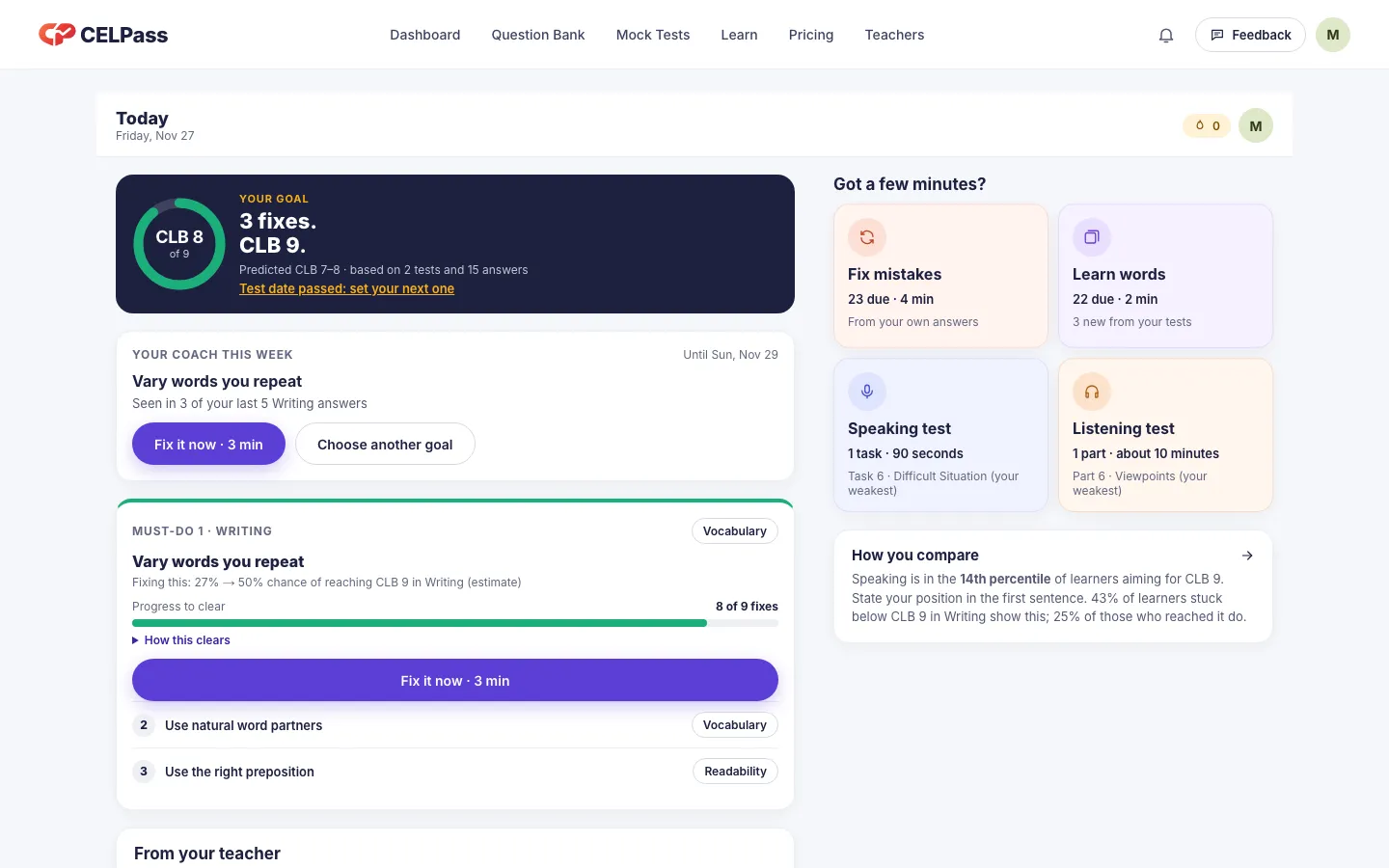
- Your must-dos: the mistakes that cost you most, ranked, each with a 3-minute fix.
- "Got a few minutes?": due mistake cards, due words, and one short Speaking task or Listening part aimed at your weakest task.
- Homework from your teacher, if you share your progress with one.
Dashboard: your road to your target CLB
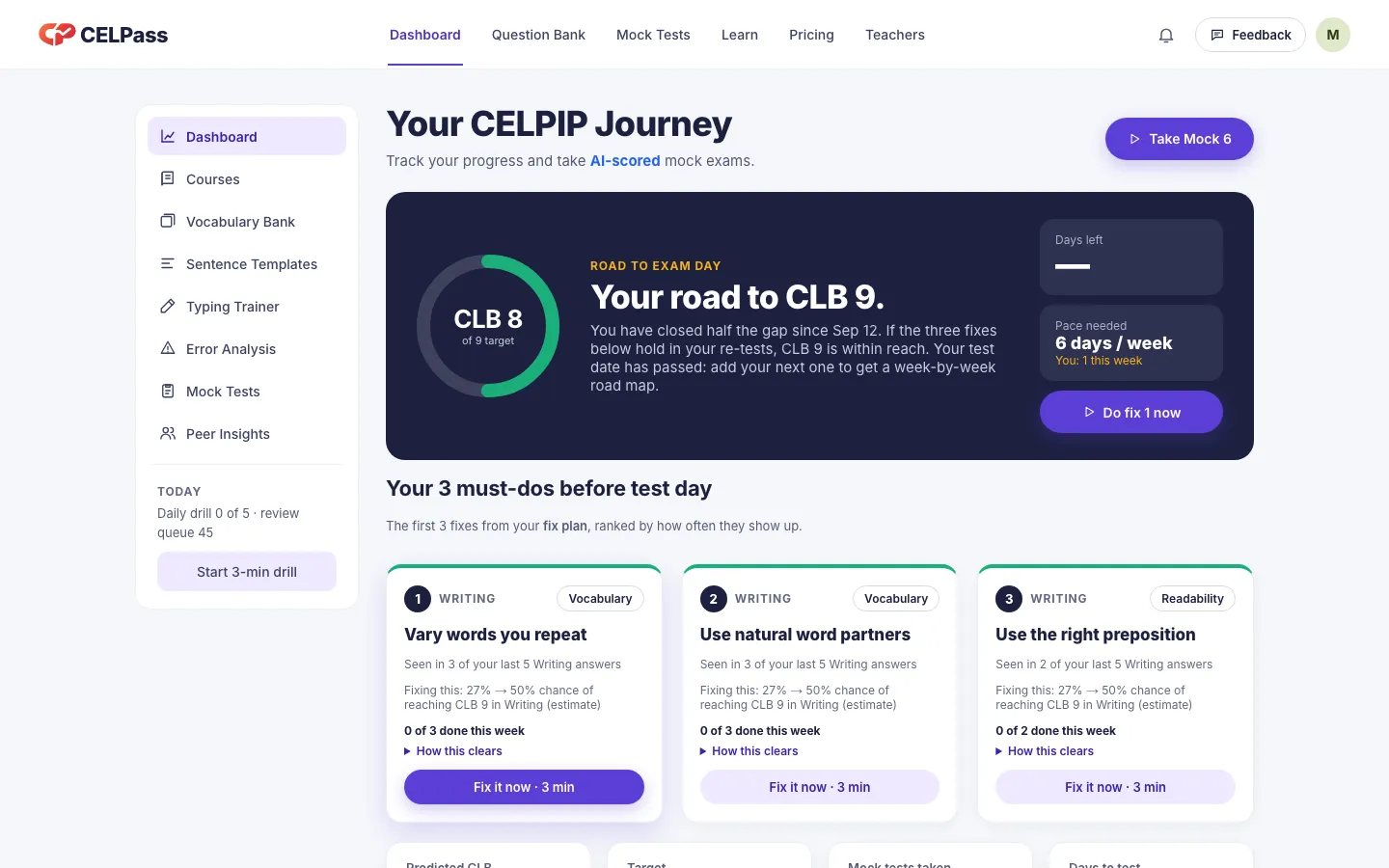
The dashboard shows the bigger picture: your predicted CLB in each skill, how far you are from your target, the pace you need before your test date and your three must-dos before test day. Every number comes from your own tests and practice answers.
Mock tests: the whole CELPIP, timed like the real one
A CELPass mock is all four sections in the CELPIP format and timing, about three hours. Take the full test, one section when you only have an hour, or the test-day simulation for your final week: locked screen, no pausing, no going back, scores at the end.
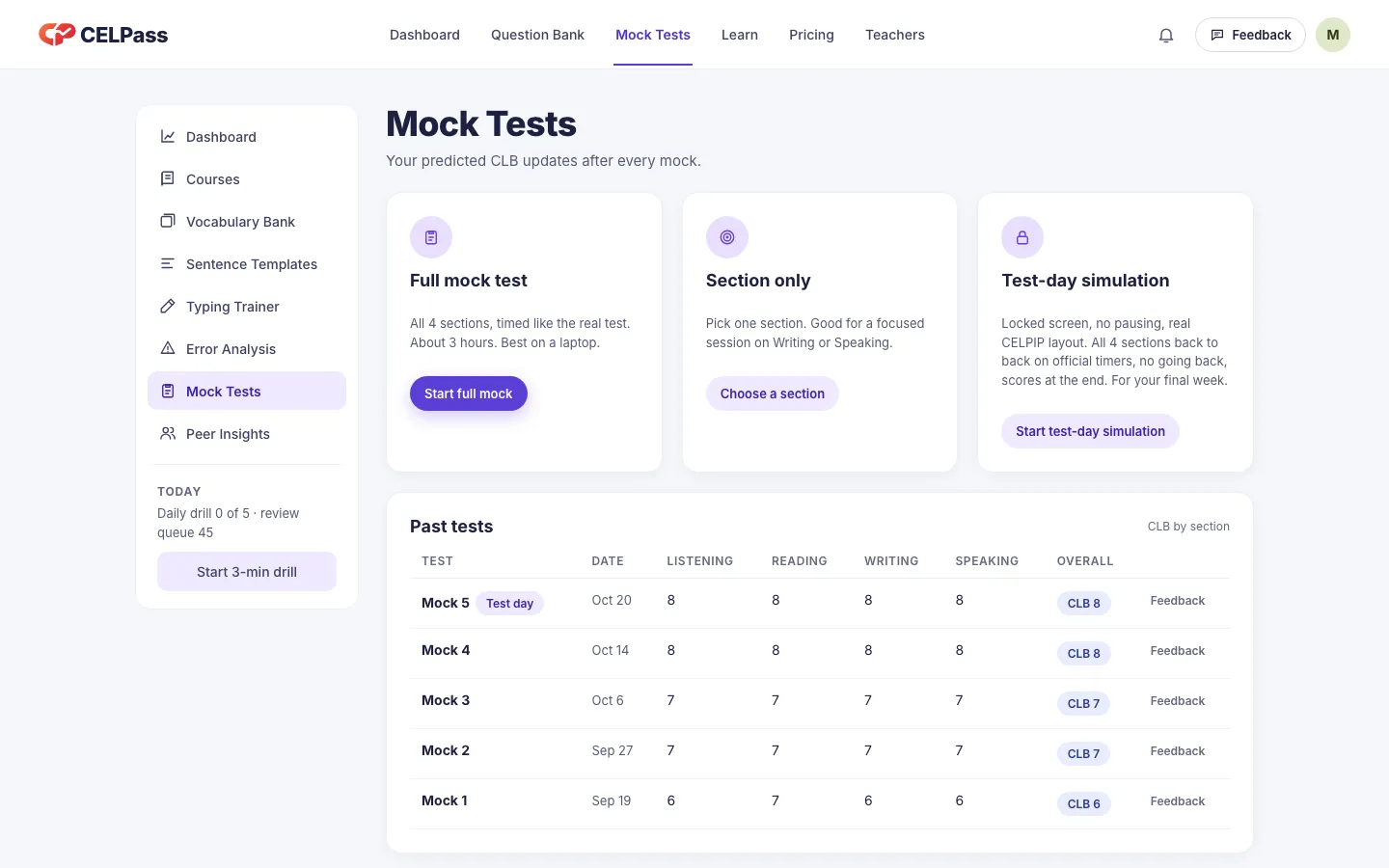
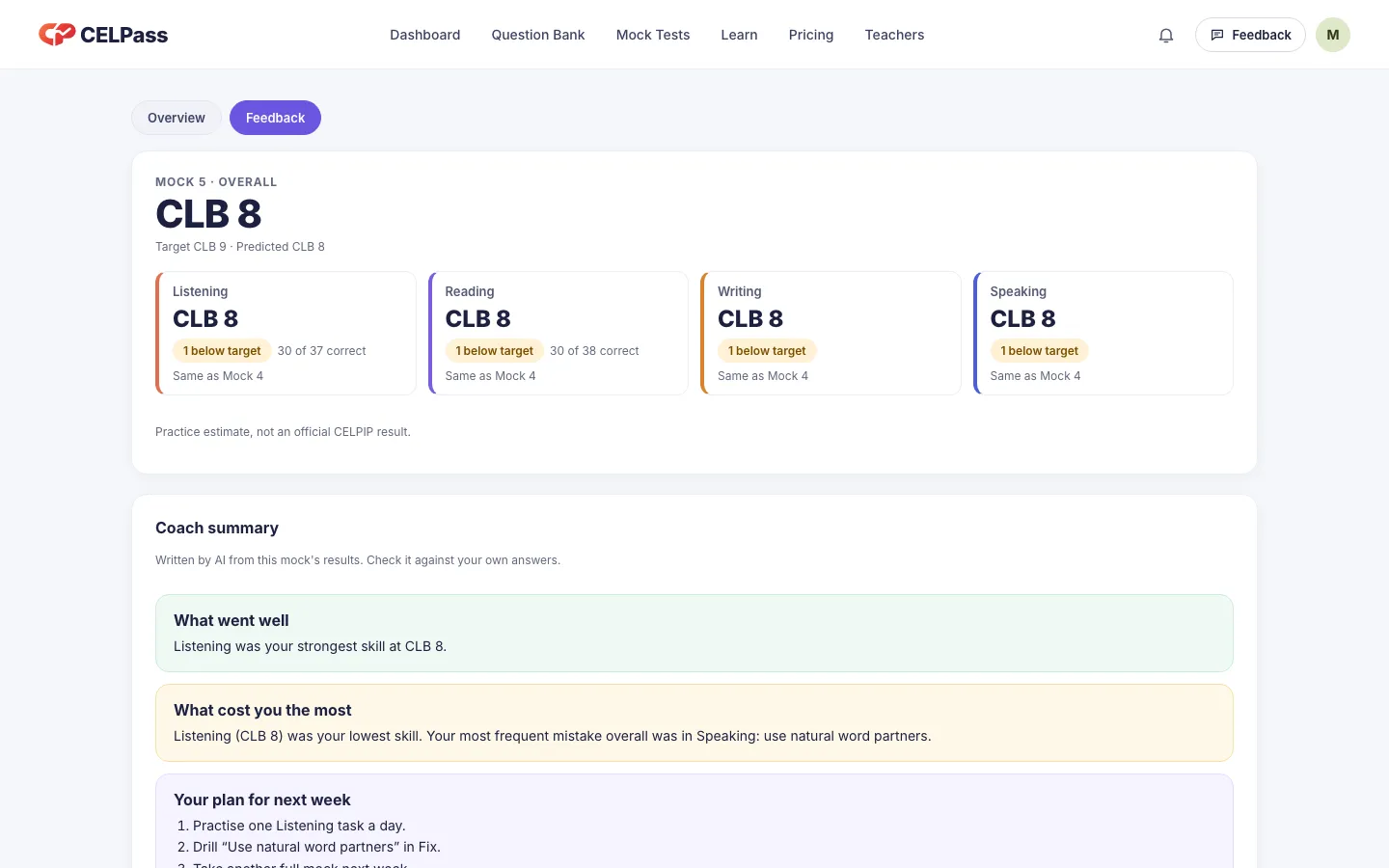
After each mock you get a CLB for every section and a coach summary: what went well, what cost you the most and a plan for next week. Your predicted CLB updates after every mock.
Question Bank: practise one task at a time
The Question Bank holds practice for every Listening and Reading part and every Speaking and Writing task. It marks your weakest tasks and recommends where to start, based on the mistakes in your last answers.
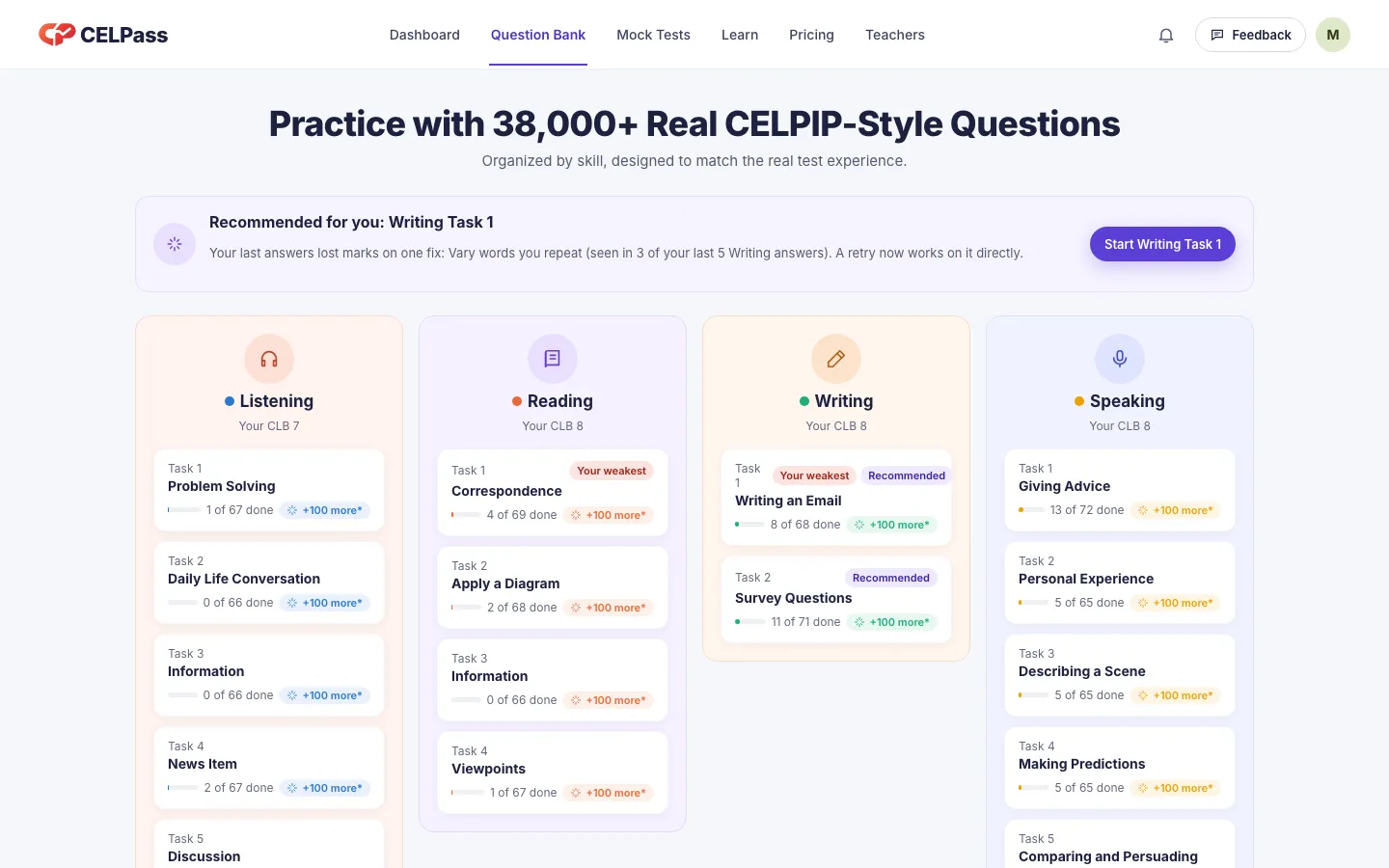
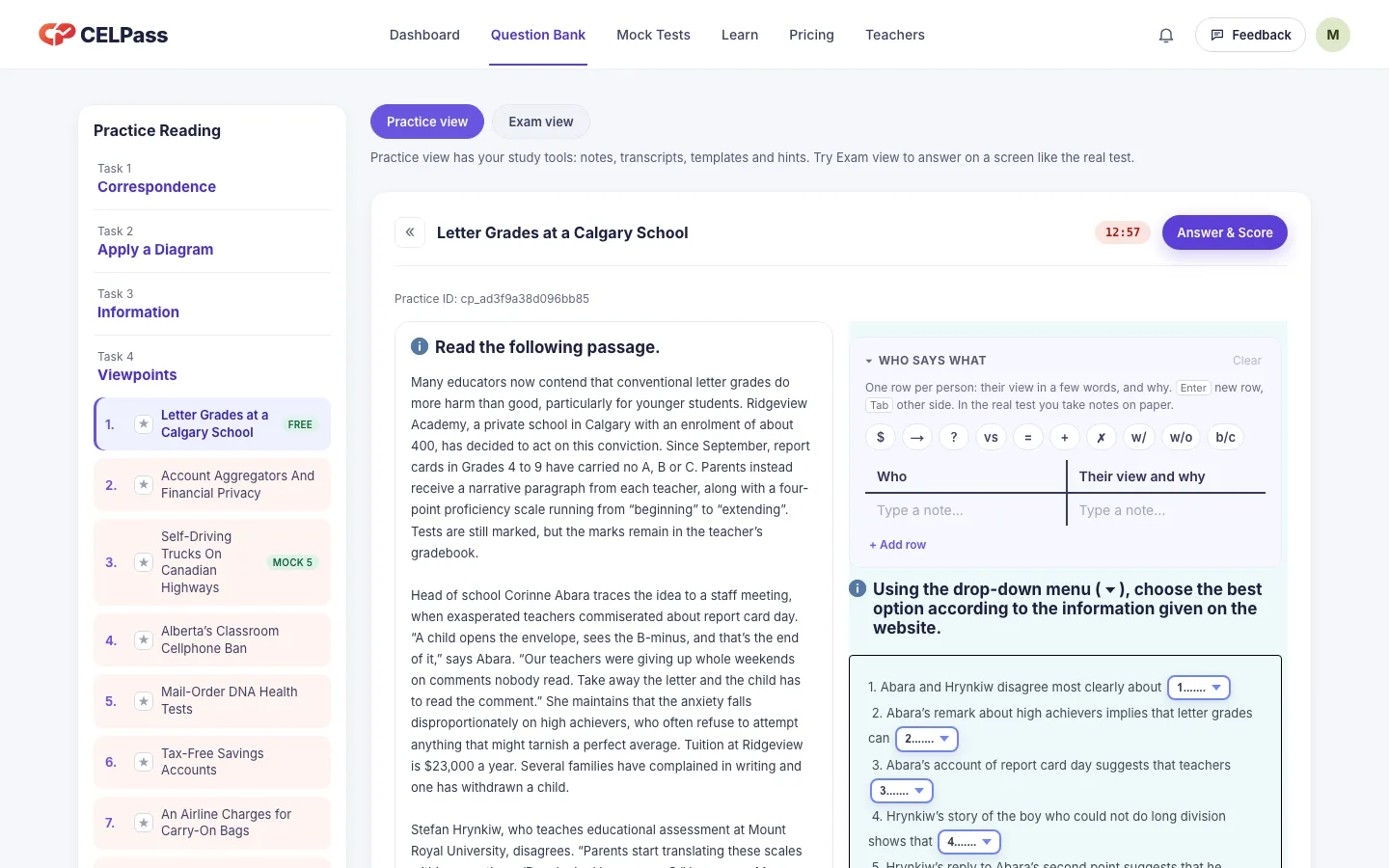
Each practice opens in Practice view, with study tools such as a notes table, templates and hints, or in Exam view, which looks like the real test screen.
Answer review: every option explained, the proof highlighted
When you score a Listening or Reading practice, each question shows why the right answer is right and why each wrong option is wrong. "Locate in passage" (or "Find in transcript" for Listening) highlights the exact words that prove the answer, so you learn to find the evidence yourself.
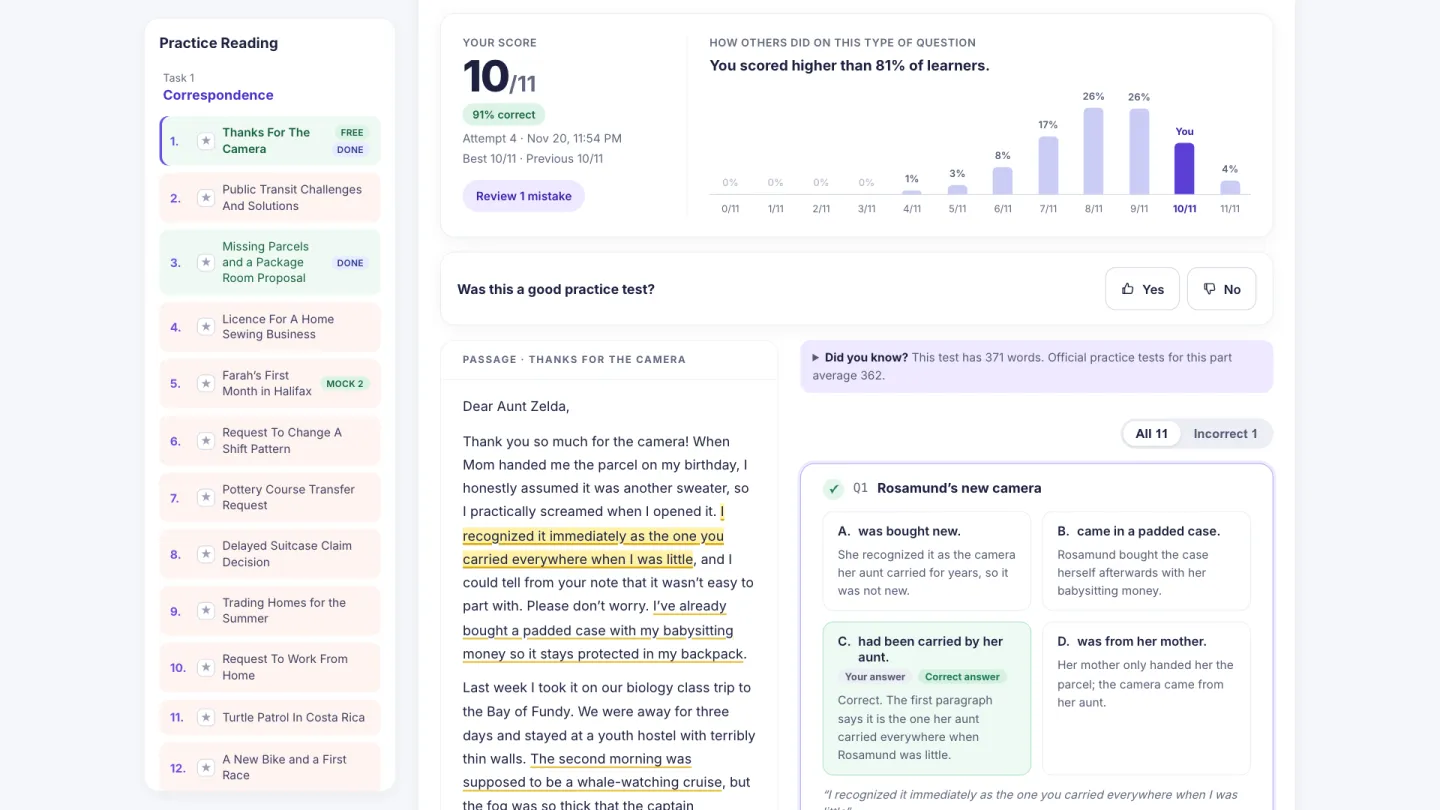
- How other learners scored on the same kind of question.
- The trap behind each wrong option you picked, which feeds your Error Analysis.
- On newer Listening parts, subtitles and a transcript you can switch on to listen again.
Speaking practice: real timers and a pacing bar
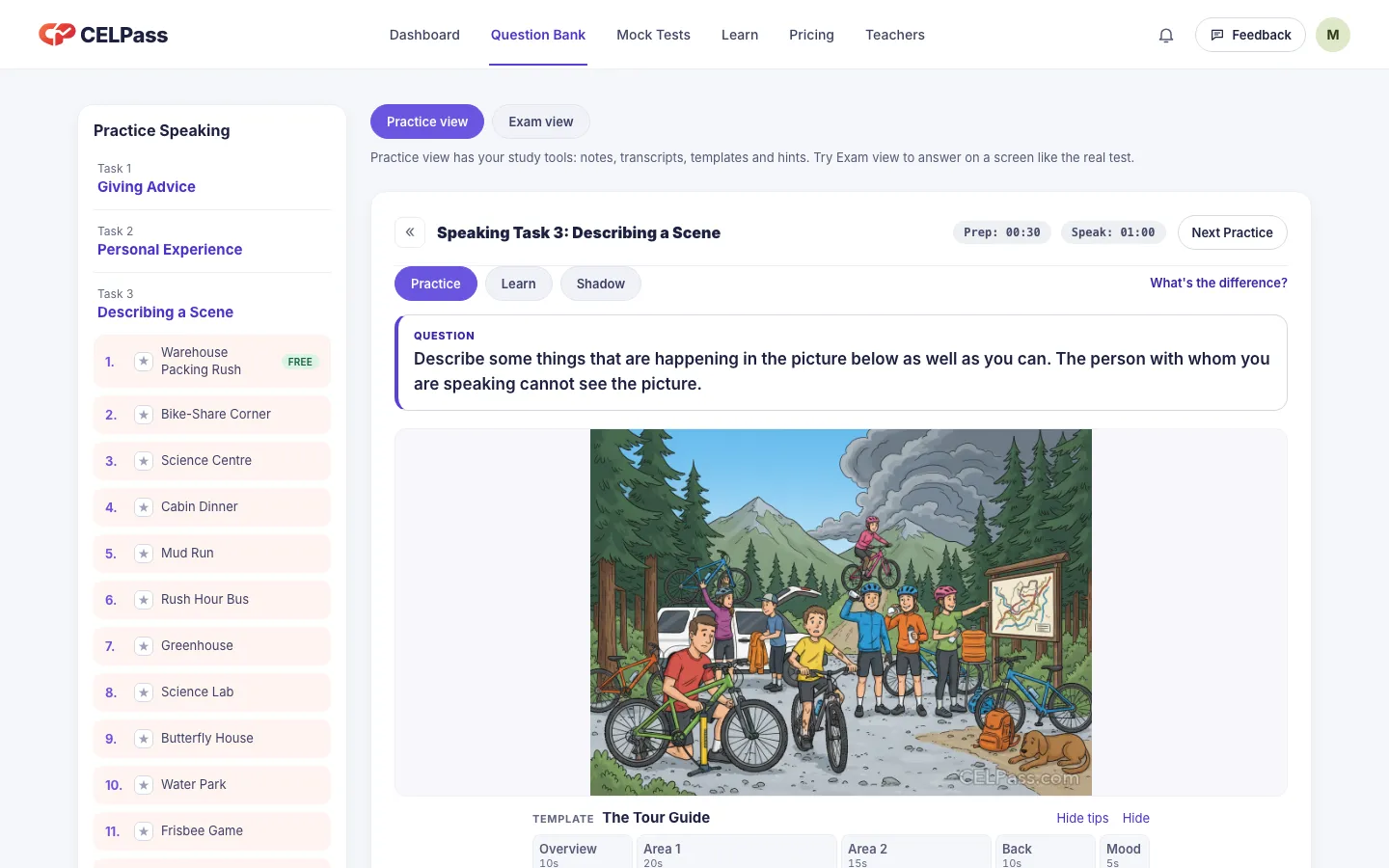
Speaking practice runs on the real preparation and speaking timers. A pacing bar under the timer shows the steps of that task's template with the seconds for each, so you know when to move on. Above the question, a switch offers three ways to work on it: Practice, Learn and Shadow.
Learn mode: study a question before you answer it
Learn mode turns a Speaking or Writing question into a short lesson. Instead of answering straight away, you work through the question in six steps built from its sample answers and guide, then answer it with the real timer.
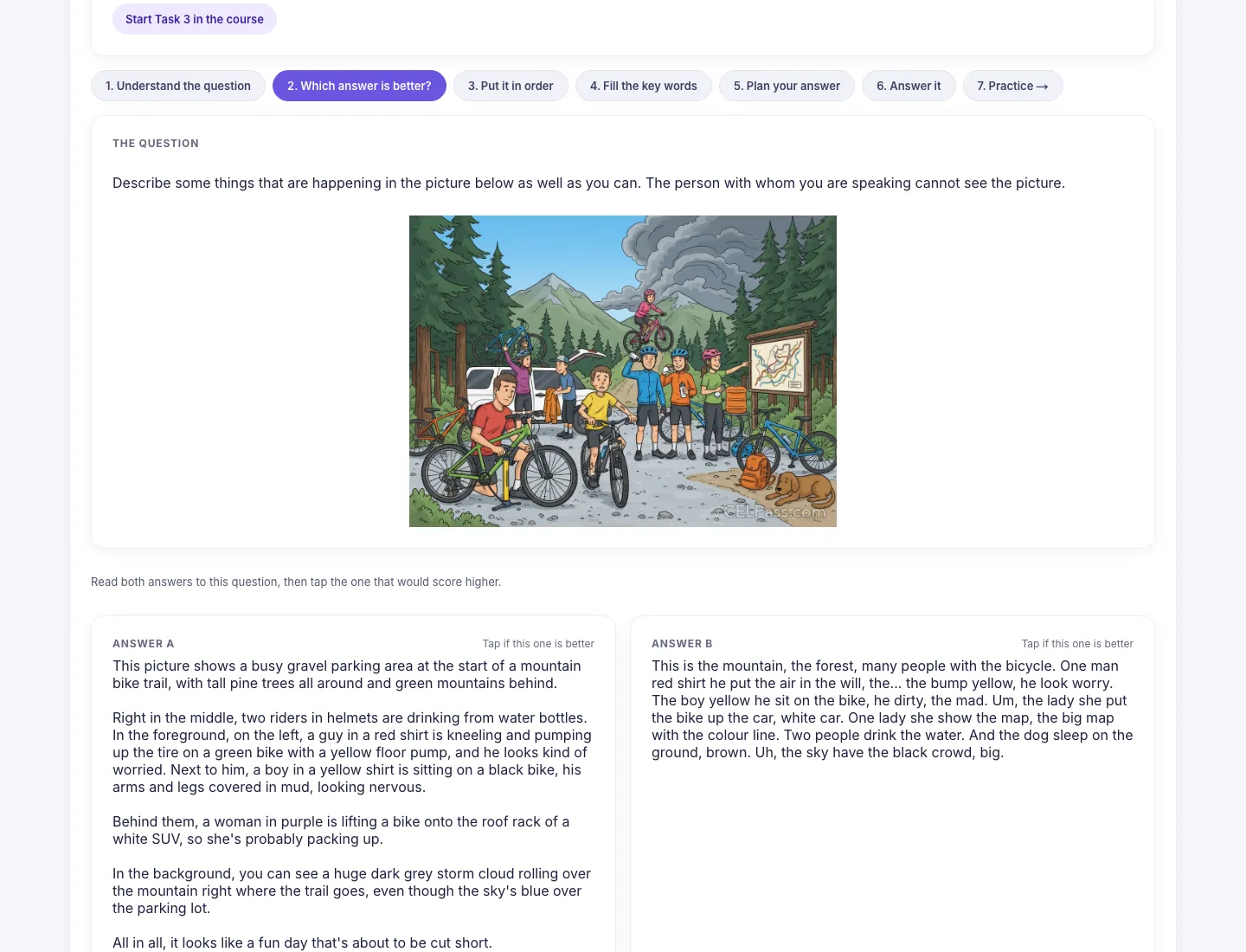
- Understand the question: what it wants and the traps to avoid.
- Which answer is better?: a CLB 4-5 and a CLB 11-12 answer side by side; pick the stronger one and see why.
- Put it in order: rebuild the strong answer from its shuffled parts.
- Fill the key words: put its useful words and linking words back.
- Plan your answer: make notes against the timer, then compare with the plan.
- Answer it: the normal practice, timed and scored by AI.
Because you studied the model answer first, answers to that question are still scored but left out of your predicted CLB.
Shadow mode: speak along with a CLB 11-12 answer
CELPIP Speaking marks fluency, rhythm and pace, which grammar exercises don't train. Shadow mode does. You listen to a recorded CLB 11-12 answer to the question while the text follows along, with each step of the template labelled and its key phrases in blue, then speak with it until its pace becomes yours.
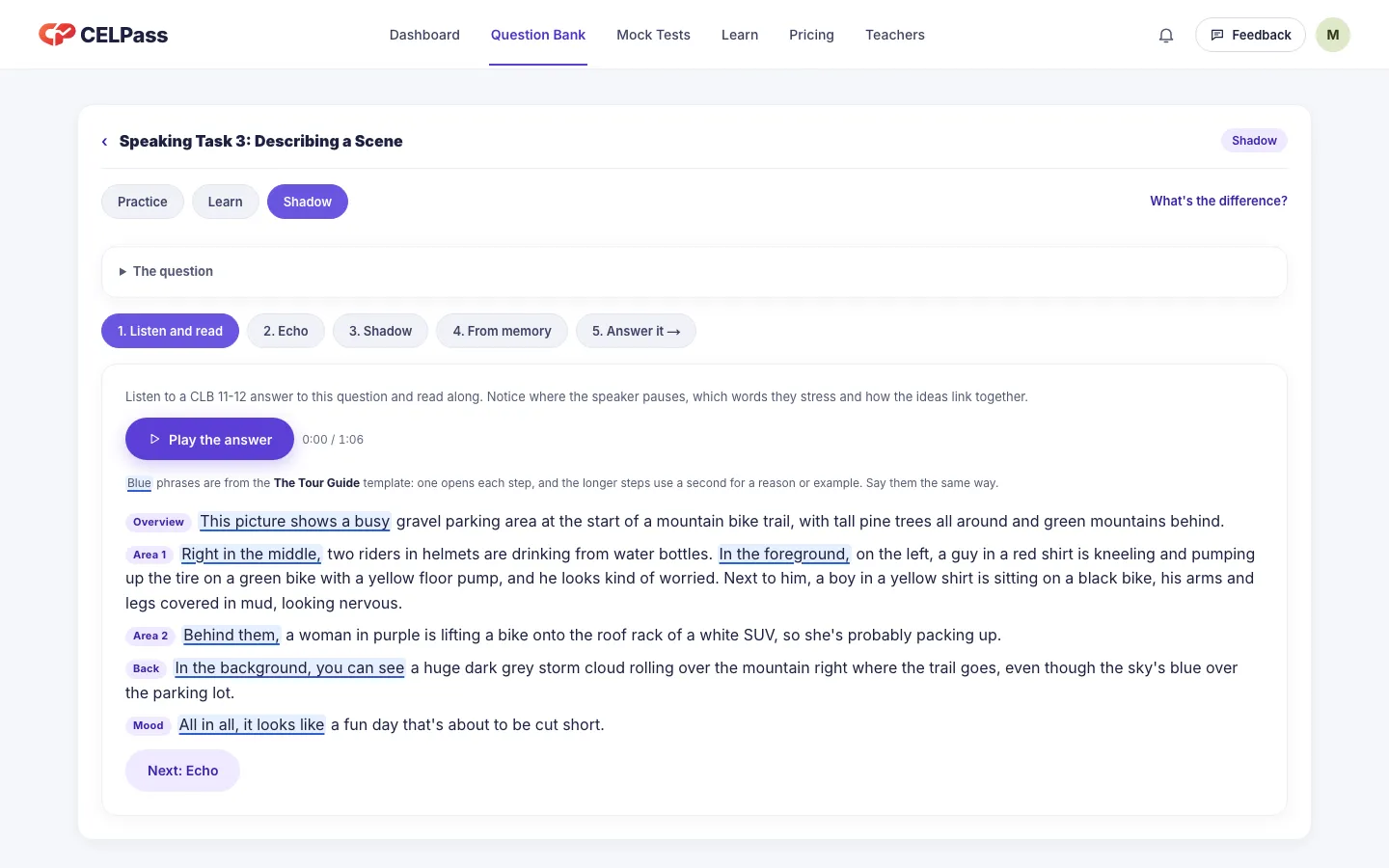
- Listen and read: the recording with the sentence being read highlighted.
- Echo: one sentence plays, you say it back, and the words you missed are marked.
- Shadow: the whole answer plays and you speak along, half a second behind.
- From memory: the same with the text hidden.
- Answer it: the question opens in Practice for your own answer.
After the Shadow and From memory rounds you see how many of the sample's words were heard, your words a minute beside the sample's and your long pauses. Shadowing is not scored and does not count toward your predicted CLB.
AI speech analysis: what your recording says about your delivery
Every scored Speaking answer is rated on the four CELPIP Speaking areas: Content and Coherence, Vocabulary, Listenability and Task Fulfillment. The transcript marks the words behind each flag, and each rating has its own CLB against your target.
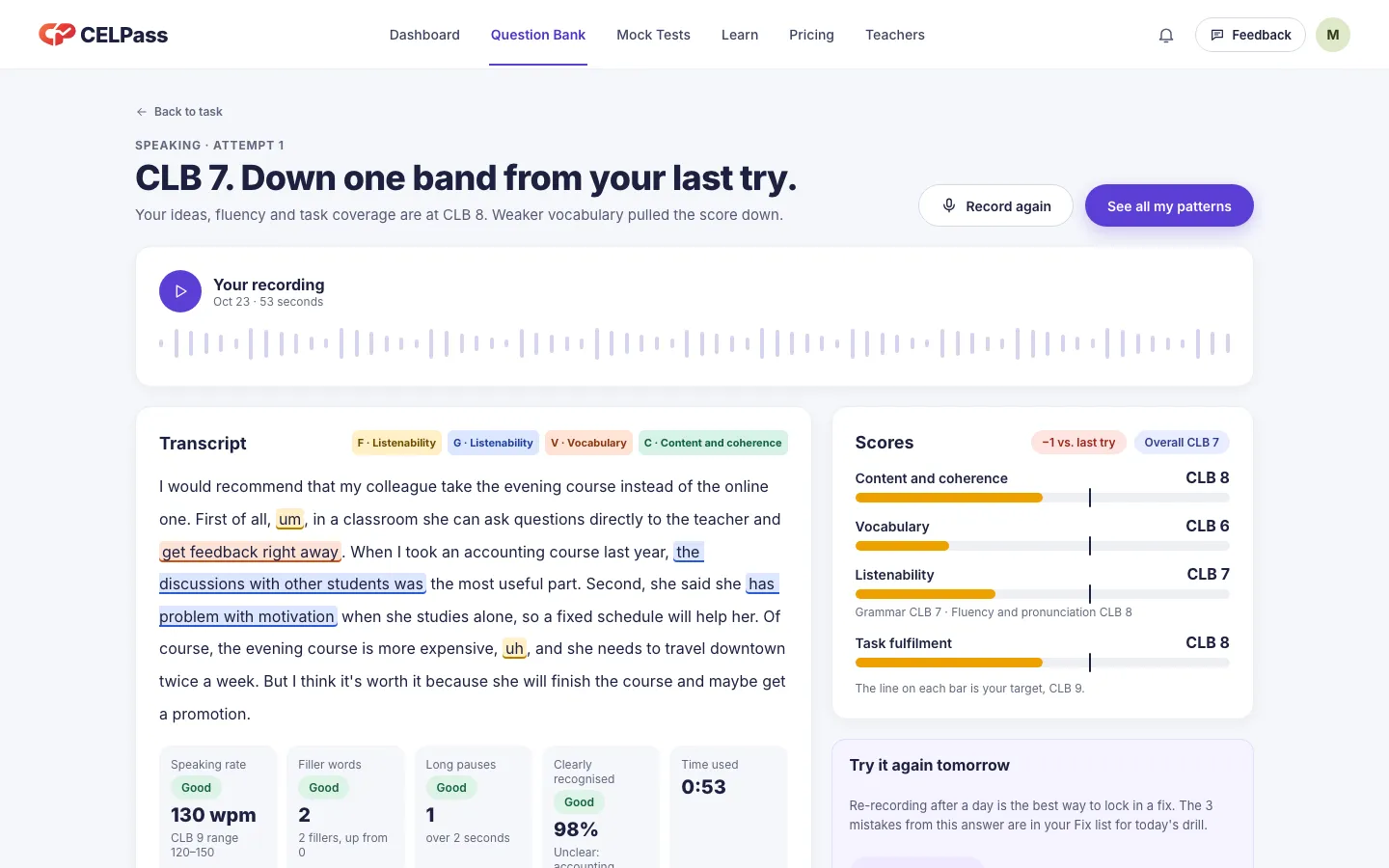
Below the transcript, the speech analysis measures how you spoke, not only what you said. Speaking rate, fillers, long pauses, how clearly your words were recognised and time used come from the word timings in your recording, each marked Good, Watch or Fix against a CLB 9 guide.
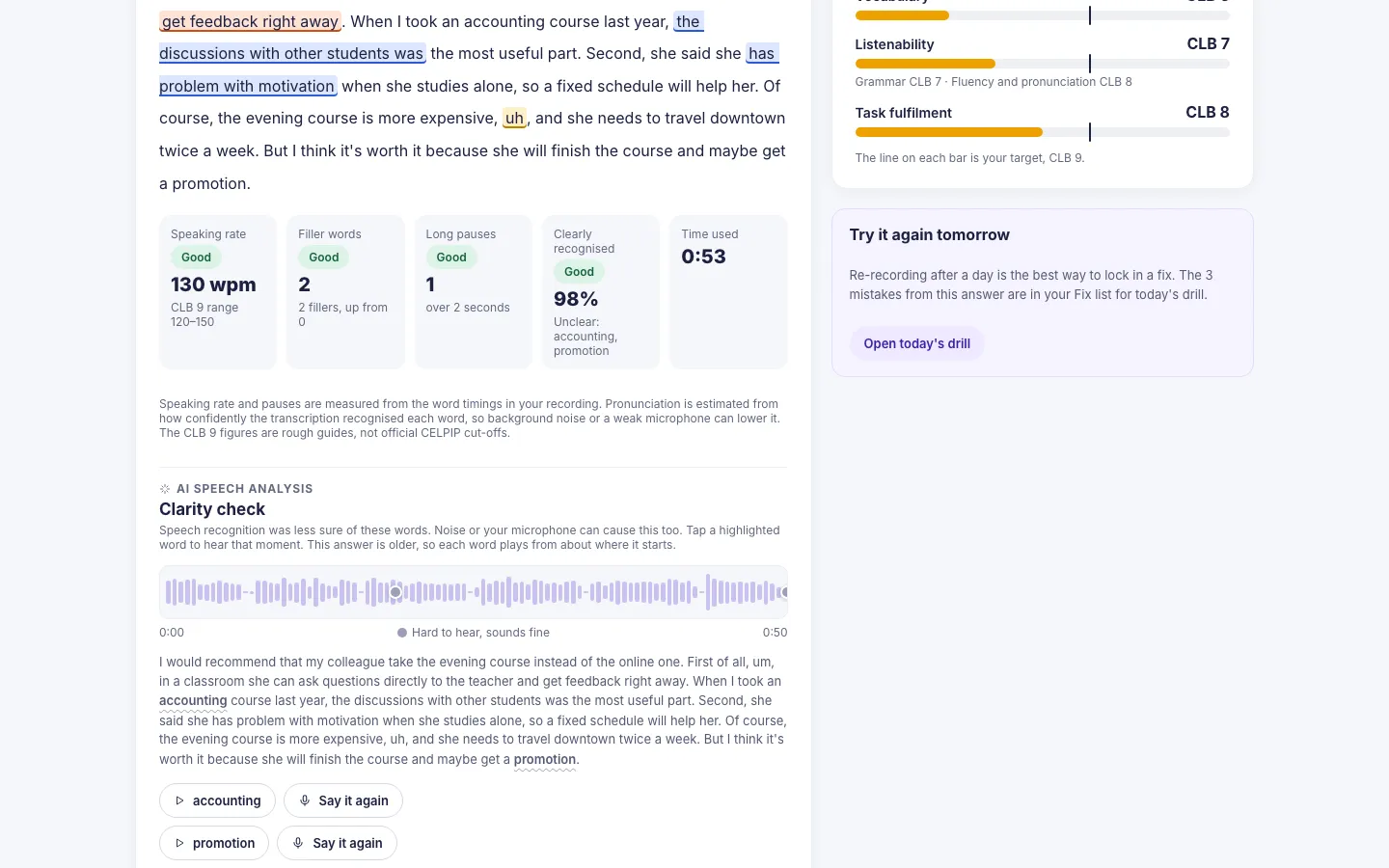
- Clarity check: the words speech recognition found hard to hear are marked in the transcript and on a waveform of your recording; tap one to hear that moment.
- Sound by sound: each hard word is checked again in its phrase. You see the sound to work on, a tip and a diagram of the mouth, or "your sounds were fine" when noise or speed was the cause.
- Say it again: say the phrase again and see whether the word came through clearly this time.
- Words that stay unclear in two or more answers come back in your Fix list.
The speech analysis explains your Listenability score; it never changes it.
Writing feedback: your email, marked up
Writing answers get a CLB for Content and Coherence, Vocabulary, Readability and Task Fulfillment, each with a short reason. Your email or survey answer comes back marked up: each numbered note points at the words it is about and says how to fix them.
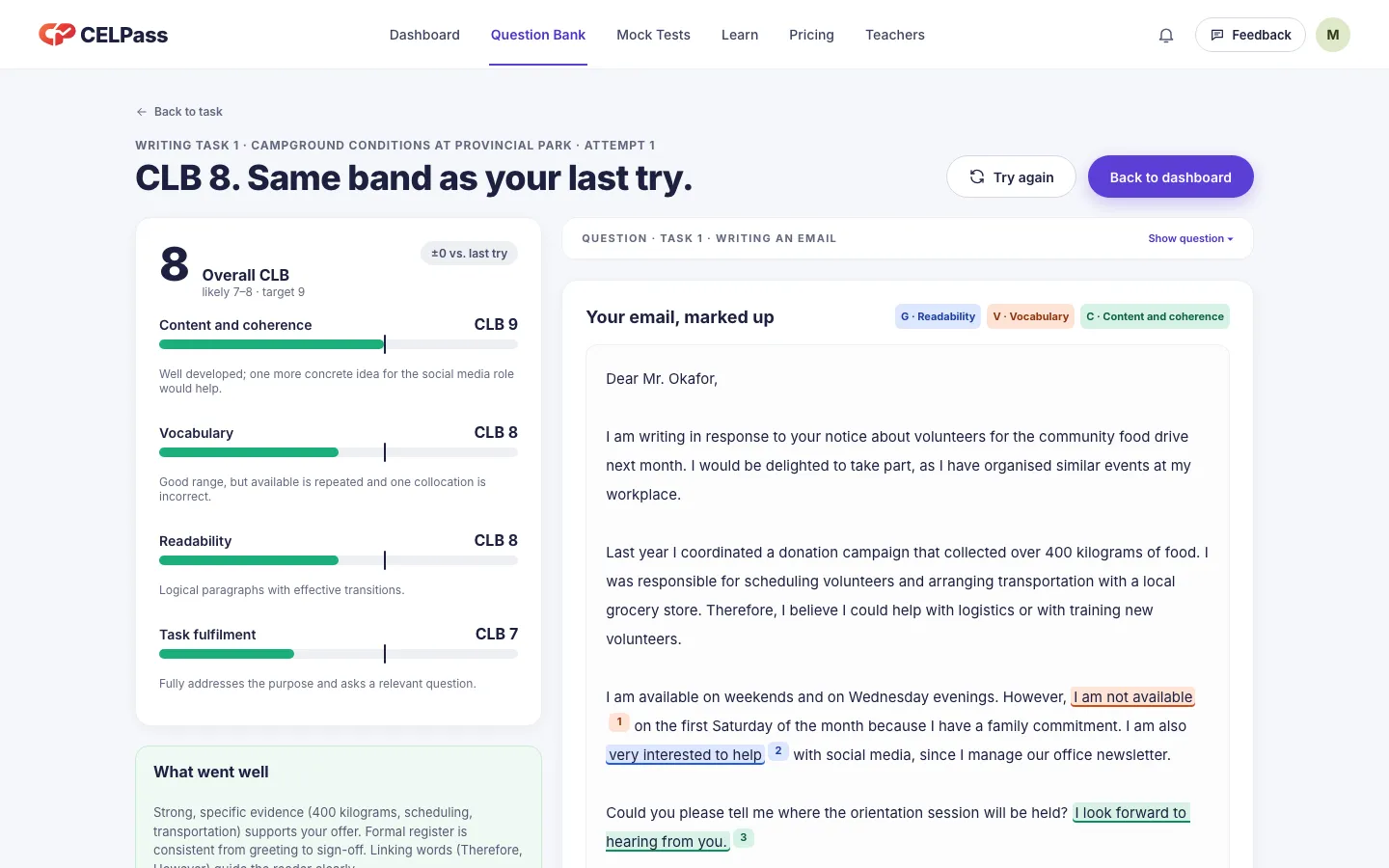
Every AI score is a practice estimate shown as a CLB range, not an official CELPIP result.
Error Analysis and Fix: turn mistakes into drills
Error Analysis gathers everything the AI flagged across your mocks and practice, then ranks it by how much it costs you. It also tells you what is not worth your time this month, because that skill is already at your target.
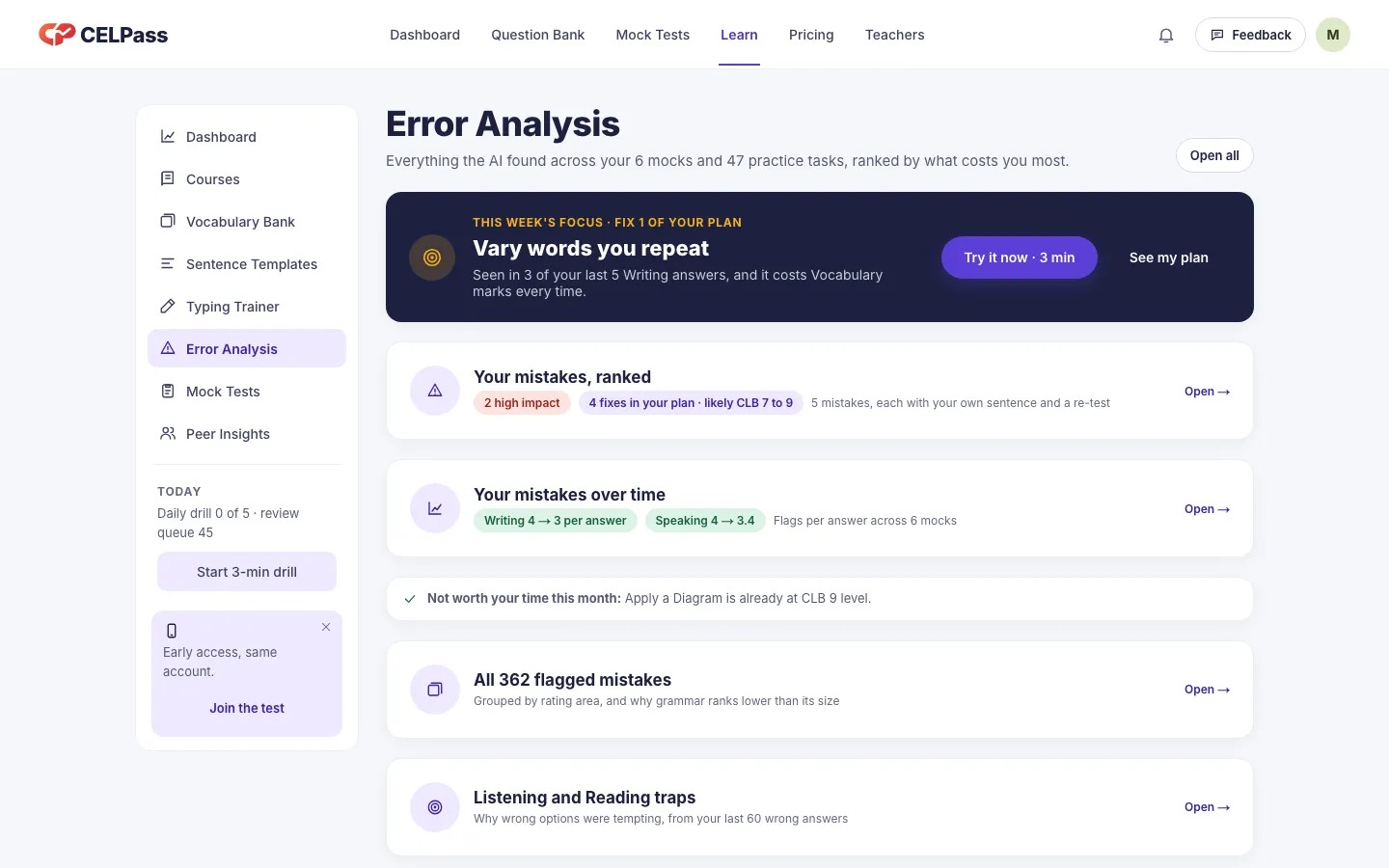
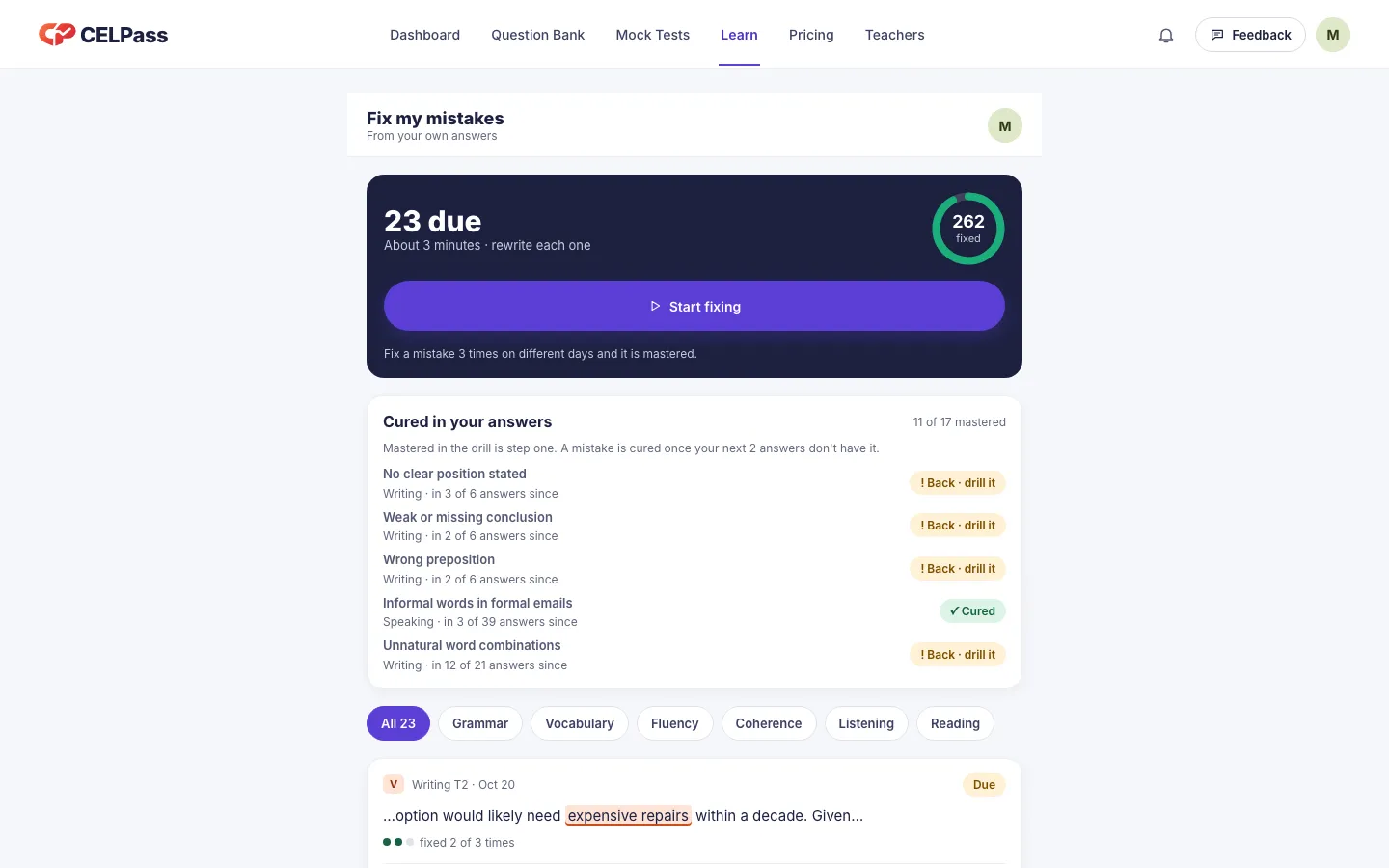
Fix turns those mistakes into short daily cards: your own sentence comes back and you rewrite it. Fix a mistake three times on different days and it is mastered; it is cured once your next answers stop making it.
Practice courses: learn each task step by step
If you would rather learn a task before testing yourself, the courses take you through it. Speaking, Writing, Reading and Listening have a course each, plus Grammar and Vocabulary courses. Each task or part has six short steps, from learning how it works to answering with the real timer.
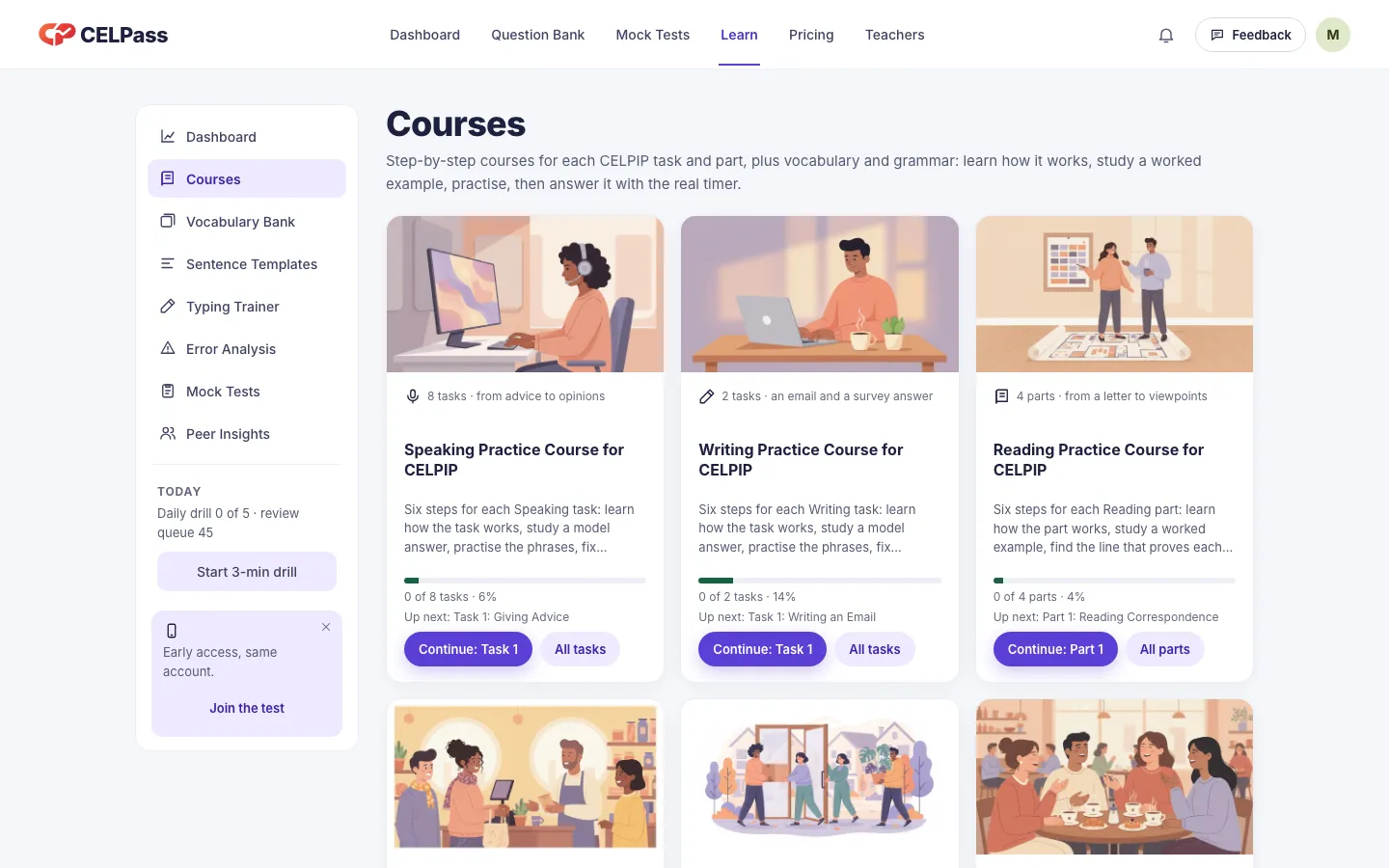
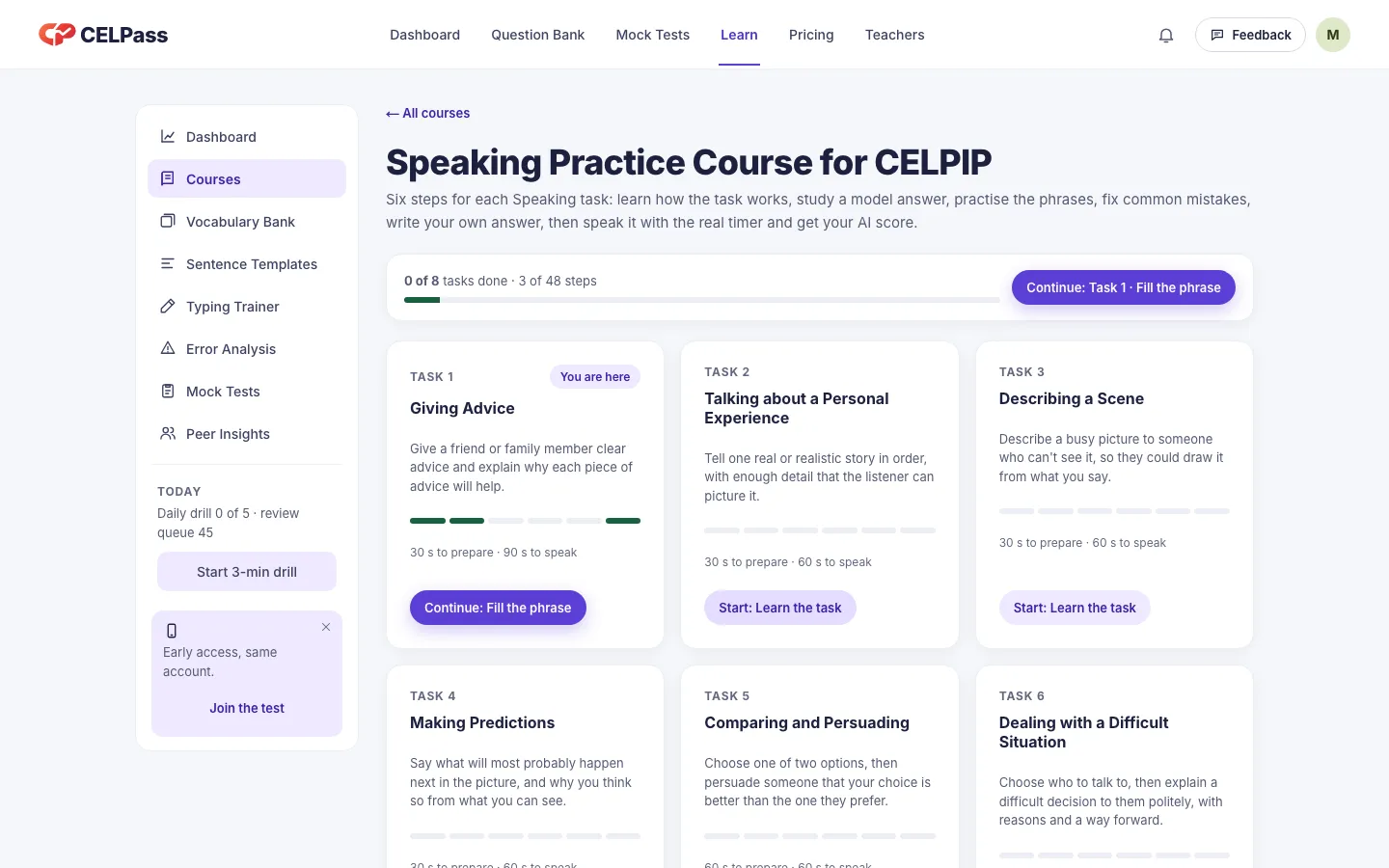
On the Free plan, every step of the first task or part and the Learn step of all the others are open, and the Grammar course is free in full. A free version of the courses also runs on the site without an account.
Vocabulary Bank: better words, reviewed before you forget
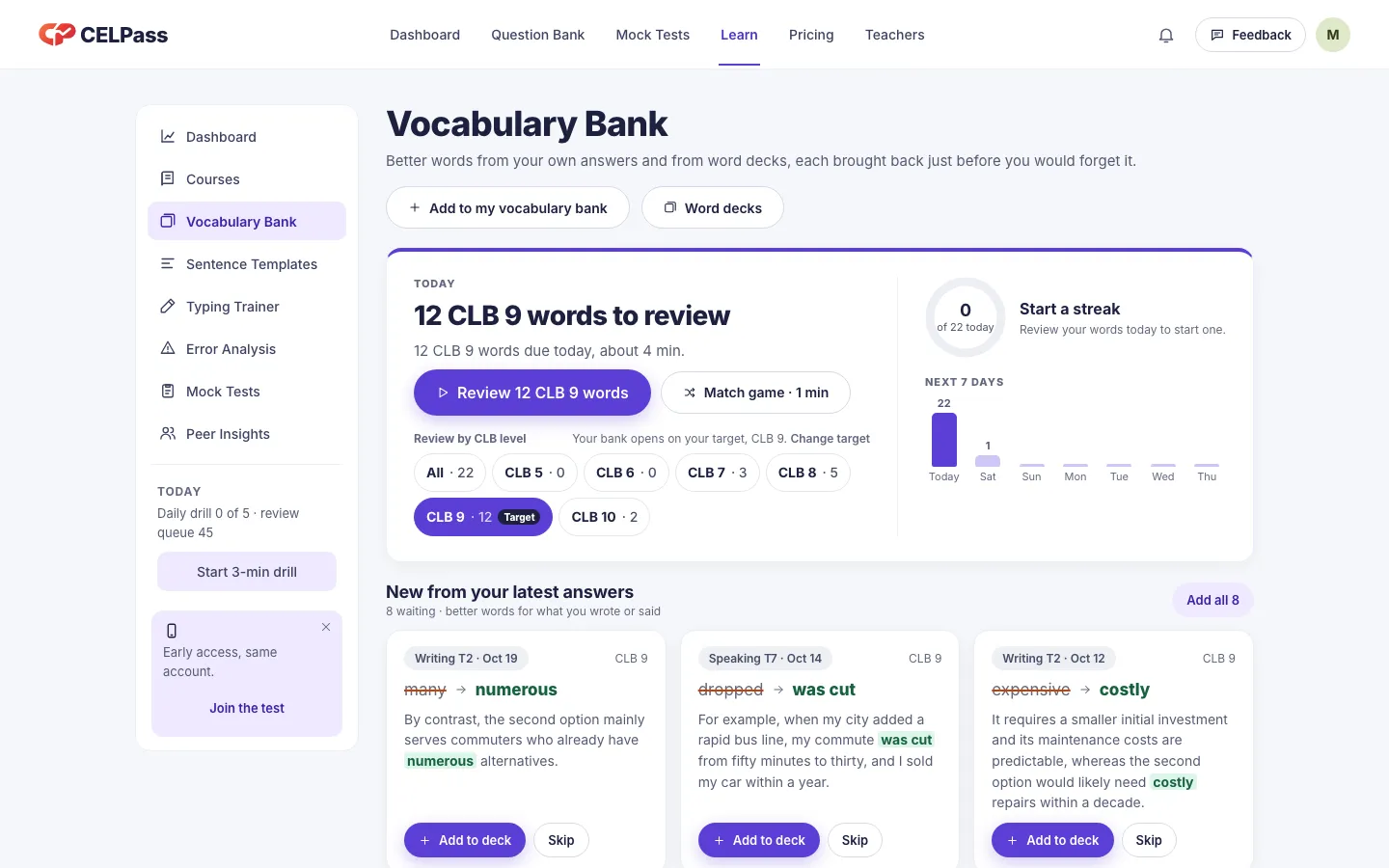
The Vocabulary Bank collects better words for what you actually wrote or said ("many" becomes "numerous", "expensive" becomes "costly") and words from ready-made decks: by task, by topic, CLB 9 upgrades, picture words for Speaking and more. Spaced repetition brings each word back just before you would forget it.
Sentence Templates and the Typing Trainer
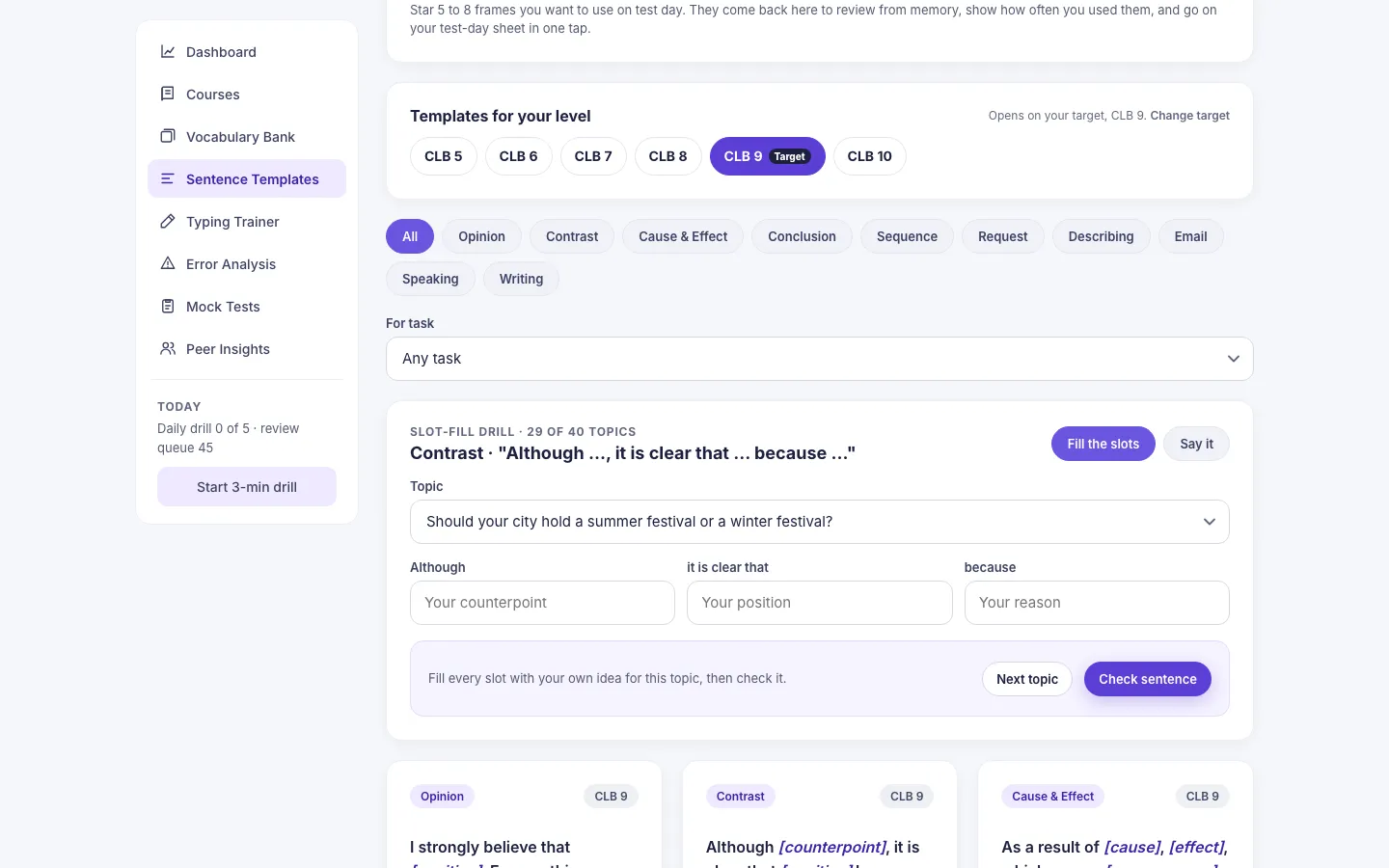
Sentence Templates are frames for the level you are aiming for, from CLB 5 to CLB 10, sorted by job: opinion, contrast, cause and effect, requests and more. Fill a frame's slots with your own idea, say it aloud, or rewrite one of your own sentences with it. Star the five to eight frames you will use on test day and they come back for review and go on a one-page test-day sheet.
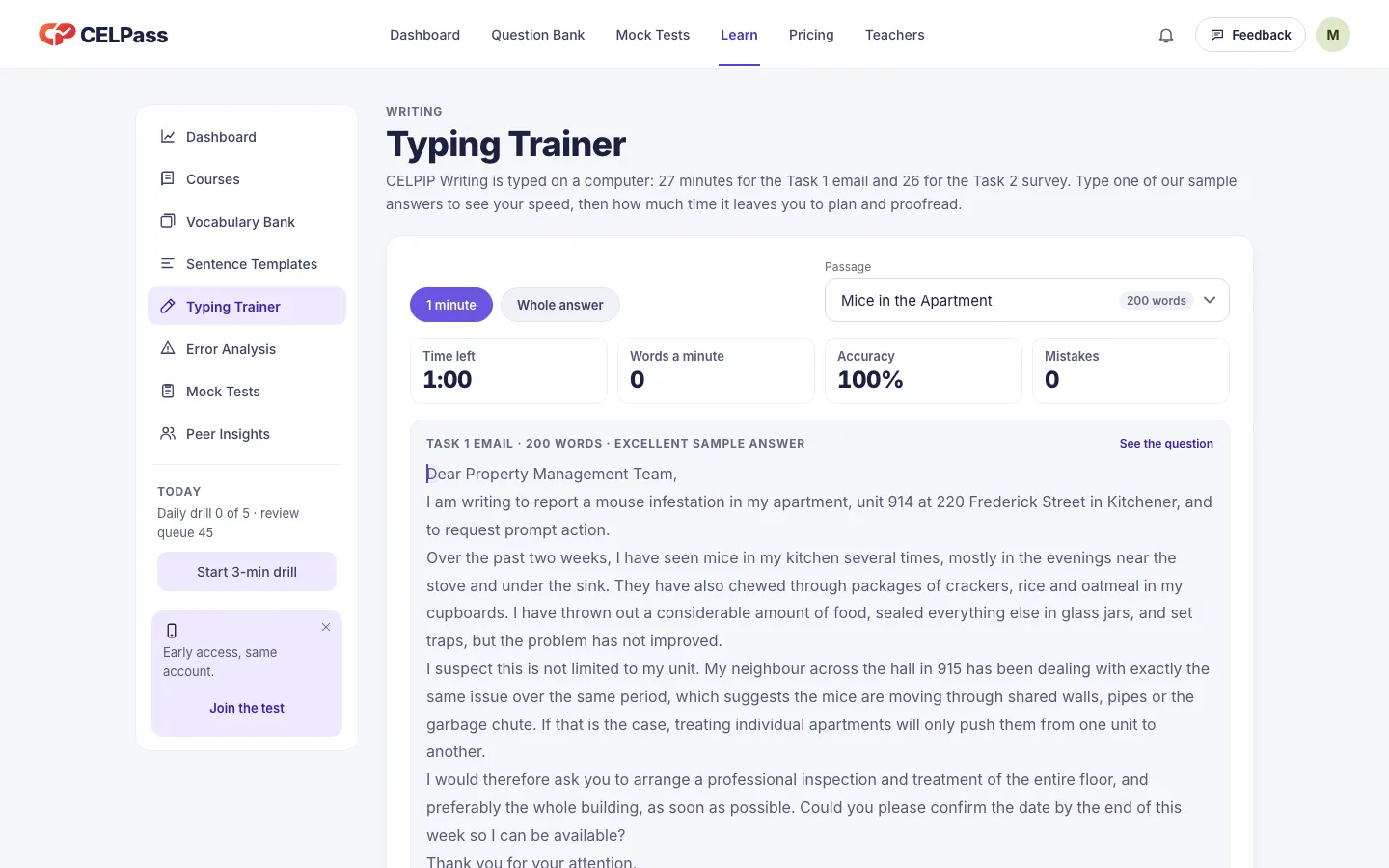
CELPIP Writing is typed, so speed matters. The Typing Trainer has you type a high-scoring sample answer for one minute or the whole answer, then shows your words a minute, accuracy and how much of the 27 minutes a 180-word email leaves you to plan and proofread. It is free on every plan.
Hit CLB 9 and your prep is free
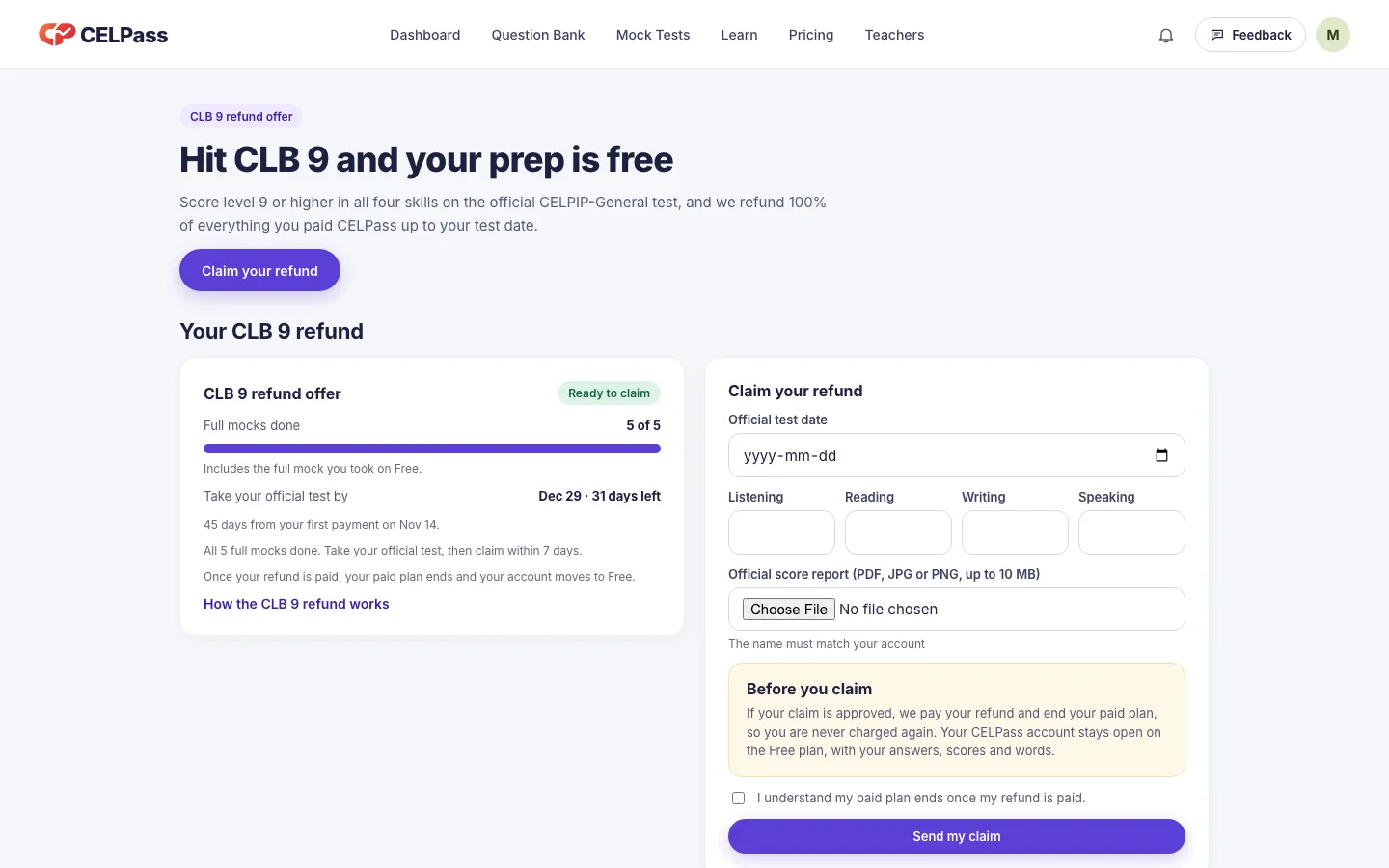
On any paid plan, take at least 5 full CELPass mock tests, then score CLB 9 or higher in all four skills on one official CELPIP-General test within 45 days of your first payment, and we refund everything you paid up to your test date. The tracker shows your mocks done and your test-by date, and you claim by uploading your score report.
What is free, and what Pro adds
| Free | Pro | |
|---|---|---|
| Diagnostic with a CLB per skill | Yes | Yes |
| Full AI-scored mock tests | 1 | All 30 |
| AI-scored Speaking and Writing answers | 5, then 1 a week | Unlimited |
| Daily drills, Typing Trainer | Yes | Yes |
| Courses | First task in full, every Learn step | Every step |
| Price | CA$0 | From CA$39 a month, or CA$139 for 6 months |
Without an account you can also use 249 full Listening and Reading practice tests, Speaking and Writing sample answers, vocabulary lists, templates and the free courses.
Frequently asked questions
Is CELPass an official CELPIP product?
No. CELPass is independent and not affiliated with CELPIP or Paragon Testing Enterprises. Our tests are original practice in the CELPIP format, and our scores are estimates, not official results.
Can I use CELPass on my phone?
Yes. The site works on a phone, so daily drills, words and short practice fit into a few spare minutes. For full mock tests use a laptop or desktop, because the real test is taken on a computer.
How accurate is the AI score?
Treat it as a practice estimate shown as a CLB range. Writing scoring is checked against officially rated CELPIP sample answers, and Speaking scores use measurements from your recording as well as the transcript.
Where should I start?
Take the free diagnostic. It takes about 25 minutes, gives you a predicted CLB in each skill and sets up your Today plan.